
Beatopia is an interactive music generator developed in Unreal Engine. It is simple enough to be accessible to beginners, while having enough advanced features for more experienced users to craft dynamic and complex tracks.
Dozens of music games have been made for PC and consoles. They have predominantly been rhythm games, with almost none focused on music creation. Beatopia is a totally new experience, offering a novel way to make music within accessible 'game-like' presentation.
The primary challenge was that there are no other similar games, so every design decision had to be made without reference by trial and error. The project evolved gradually as new possibilities emerged from early prototyping. Initially the game focused around a one bar loop, choosing drum hits in the desired position to make a beat. After adding instrument loops it became apparent that this was too limiting, and so it was extended to a repeating cycle of four bars. This is long enough for the player to experiment with more complex structures, but not so long as to become difficult to follow.
Although a four bar section was enjoyable to play around with, it is not enough to offer much more than a short novelty experience. Being able to link together different sections would give enough variety to make entire songs. The sections need to be switched during runtime, which required complex arrays of structs to be stored for each instrument, as well as effects and various other settings. The player can assign up to 8 sections to different hotkeys. After pressing the hotkey the section will load at the beginning of the next bar. This allows the player to create a variety of contrasting or complementary sections which can then be 'performed' as a song, simply by pressing hotkeys at the desired times to change between sections. If the player is happy with what they have created they can save their configuration as a 'jamset' for later use. Live audio can also be exported as a wav file.
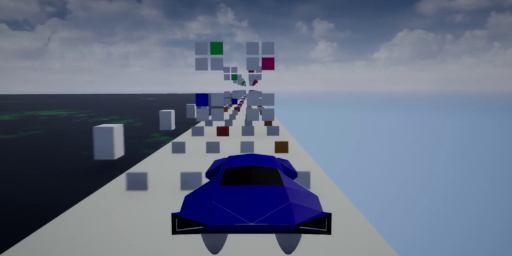
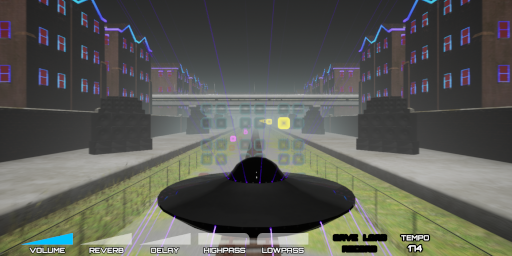
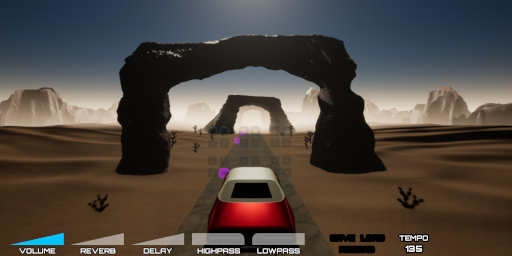
Different levels have different themes, with background elements of the level linked to the output of the tracks. The level itself can function as a visualizer - background objects may rise and fall with the volume of a track, certain elements may light up depending which instruments are playing, etc. Each level has its own musical genre as a base, and a visual theme using imagery typically associated with that genre.
The finished game will have about 10 levels, with a few hundred loops per level. Every loop is tempo-adjusted to the same key, so all loops from all levels can be used alongside any others. This enables mixing different styles of music for unique results, and the ability to reuse generic sections without the need for duplication across levels. Ensuring the loops will match across different tempos presents a significant challenge. Matching the time is relatively simple. For example, we may have a track at 150bpm and want to play a loop with a base tempo of 120bpm. The equation 'playrate = songBPM / originalBPM' will give us the ratio between the two, so in this case 150/120 = 1.25, so the loop would simply have to be played at 1.25x playrate to fit in time.
Greater difficulty arises in matching the musical key. Changing the playrate will also change the pitch, so if loops are recorded in the same key but at different tempos, then they will not match when tempo-adjusted. Pitch-shifting algorithms are computationally expensive and often result in unwanted artifacts, so were not feasible in this case. To solve this I established a base key at the base tempo of 120bpm, then calculated every other key's tempo relative to that one. This results in odd values, for example to match a loop in the key of D it would need to be at 137.6625bpm. I then record the loops at these very specific tempos, and time stretch them to match the base key and tempo of 120bpm, before importing them into the game. The final result is that all loops end up in the same key regardless of the key they were recorded in, and can work together at any tempo with the simple playrate equation stated above.
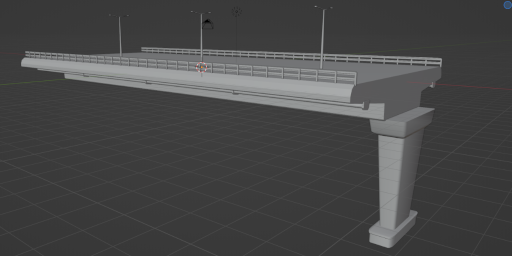
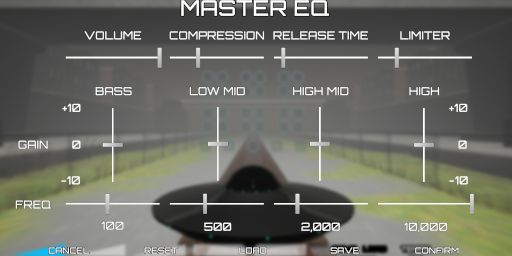
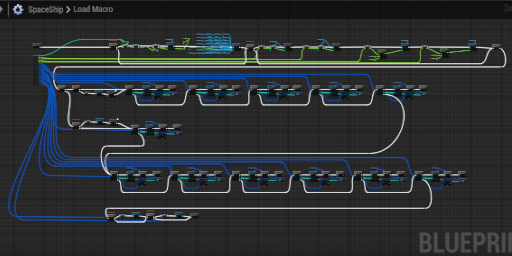
Beatopia was developed in Unreal Engine 4 mostly using blueprints, with a only a small amount of C++ when I needed functionality which blueprints does not expose. I did not use third-party plugins or any external assets, with the exception of fonts and some generic image textures. This project was intended as a learning experience, and so I wanted to gain first-hand experience with the entire game production pipeline. All 3D models were made in Blender, and all materials and shaders were made in Unreal Engine's shader graph.
There are numerous more advanced features I have omitted from this summary for the sake of brevity. Gameplay funcitonality is effectively complete, now the focus will shift to level design and visual effects. Upon completing 3-4 levels to an acceptable standard I plan to release a playable demo on Steam. Development of Beatopia will be updated here and on my Youtube channel.